
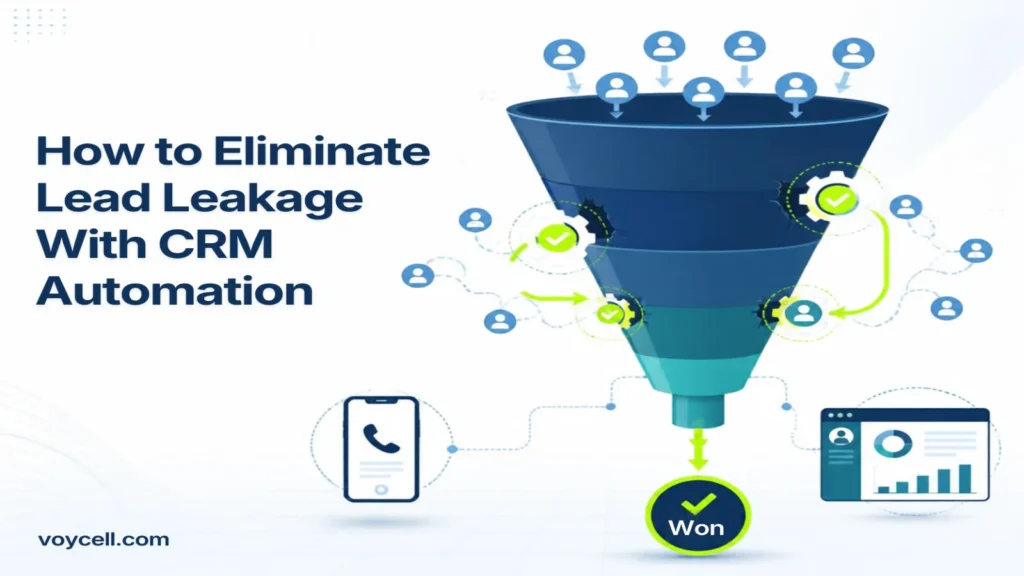
Lead leakage is the quiet loss of leads you already paid to attract. CRM automation closes these gaps by capturing every enquiry and following up fast.
Many UAE businesses spend heavily on Google Ads, social media, and events. Then calls go unanswered, forms sit in inboxes, and follow-ups slip. Each gap costs revenue.
This guide shows where leads leak and how to fix each leak with CRM automation. It also explains how a cloud phone system from Voycell fits into the setup.
What Is Lead Leakage?
Lead leakage is any point where a qualified lead drops out of your sales process without a reason. The lead did not say no. Your process simply lost them.
Leakage differs from a normal lost deal. A lost deal ends with a clear decision from the buyer. A leaked lead ends with silence, delay, or missing data on your side.
Common signs include:
- Missed calls with no callback
- Web forms that reach the wrong inbox
- Leads with no owner or no next step
- Hot enquiries contacted days later
Where Do Leads Leak?
Leads leak at five points between first contact and a booked meeting. Most of these gaps are process gaps, not people gaps.
Leak point | What happens | Typical cause |
|---|---|---|
Missed calls | The caller hangs up and tries a competitor | No call routing or after-hours cover |
Slow follow-up | The lead cools before anyone replies | Manual lead assignment |
Scattered data | Leads sit in email, sheets, and chat apps | No single CRM record |
No ownership | Nobody knows who should act next | No assignment rules |
Stalled pipeline | Leads stop moving after first contact | No reminders or tasks |
How Does CRM Automation Stop Each Leak?
CRM automation replaces manual steps with rules that run every time. Each rule below targets one leak from the table above.
- Instant capture: Every form, call, and chat creates a CRM record automatically. No lead depends on someone copying details.
- Auto-assignment: Rules route each lead to the right rep by region, service, or workload.
- Speed-to-lead alerts: The owner gets a notification the moment a lead arrives.
- Follow-up sequences: Automated emails or messages go out while the rep prepares a personal reply.
- Task reminders: The CRM creates a task for every next step. Overdue tasks alert the manager.
- Missed-call workflows: A missed call creates a lead and a callback task at once.
How to Set Up CRM Automation in 7 Steps
Follow these steps in order. Each one removes a specific leak.
- Map your lead sources. List every channel that brings leads: website forms, phone calls, ads, chat apps, and walk-ins.
- Centralize leads in one CRM. Connect each source so every lead lands in the same pipeline.
- Define pipeline stages. Use clear stages such as New, Contacted, Qualified, Proposal, and Won.
- Set assignment rules. Route leads by service, location, or rep availability.
- Add response-time rules. Set a target for the first reply, and alert the manager when a lead breaches it.
- Build follow-up sequences. Schedule reminders and messages for day one, day three, and day seven.
- Review every week. Check stuck leads, overdue tasks, and source quality, then adjust the rules.
How Voycell Helps Close the Phone Gap
Phone calls are often the leakiest channel for UAE businesses. A call that no one logs is a lead that no one follows up.
Voycell is a UAE-based VoIP provider. Connecting a cloud phone system to your CRM turns every call into trackable data. A connected setup can:
- Log every inbound and outbound call against the right contact
- Create a lead and a callback task from each missed call
- Route calls to the right team by time of day, language, or department
- Let reps click to call straight from a CRM record
- Keep call history in one place for managers to review
This closes the biggest leak for businesses that sell by phone, such as real estate, healthcare, and services.
Metrics to Track
Track five numbers to see whether your leaks are closing. Review them every week.
Metric | What it shows |
|---|---|
Speed to lead | Time from enquiry to first reply |
Missed-call rate | Share of calls that no one answered |
Lead-to-opportunity rate | Share of leads that reach a real sales conversation |
Follow-up completion rate | Share of tasks finished on time |
Leads with no owner | Count of records without an assigned rep |
Falling response times and fewer unowned leads are the first signs that leakage is shrinking.
Frequently Asked Questions
What is lead leakage in sales?
Lead leakage is when qualified leads drop out of your sales process without a clear reason. Causes include missed calls, slow follow-up, and poor tracking.
How does CRM automation reduce lead leakage?
It captures every lead, assigns an owner, and creates follow-up tasks automatically. This removes the manual steps where leads usually get lost.
What are the most common causes of lead leakage?
Slow response and missing ownership are common causes. Missed calls and scattered lead data add to the problem.
Can a VoIP system help prevent lead leakage?
Yes. A VoIP system connected to your CRM logs calls, routes them correctly, and turns missed calls into follow-up tasks.
How fast should we follow up with a new lead?
Reply as fast as you can, ideally within minutes. Set a response-time target and let the CRM alert managers when it is missed.
Which businesses benefit most from CRM automation?
Businesses that win customers through calls and enquiries benefit most. Examples include real estate, healthcare, and service companies.
How do I measure whether lead leakage is falling?
Track speed to lead, missed-call rate, and the number of leads with no owner. Review these numbers every week.
Conclusion
Lead leakage is fixable because it comes from process gaps, not bad leads. CRM automation captures every lead, assigns it fast, and keeps follow-up on schedule.
Pair it with a connected phone system, and calls stop slipping through. Start by mapping your lead sources, then automate one leak at a time.
Ready to connect your calls to your CRM? Visit Voycell to talk to the team.


