VOYCELL + HubSpot Integration Setup Guide
This guide walks you through installing and configuring the Voycell integration with HubSpot. With this integration, your call data and customer interactions are automatically synced into HubSpot.
- Contact Name
- Phone Number
- Meeting Details
- Call Notes
1. Install VOYCELL Integration
2. Connect Your VOYCELL Account
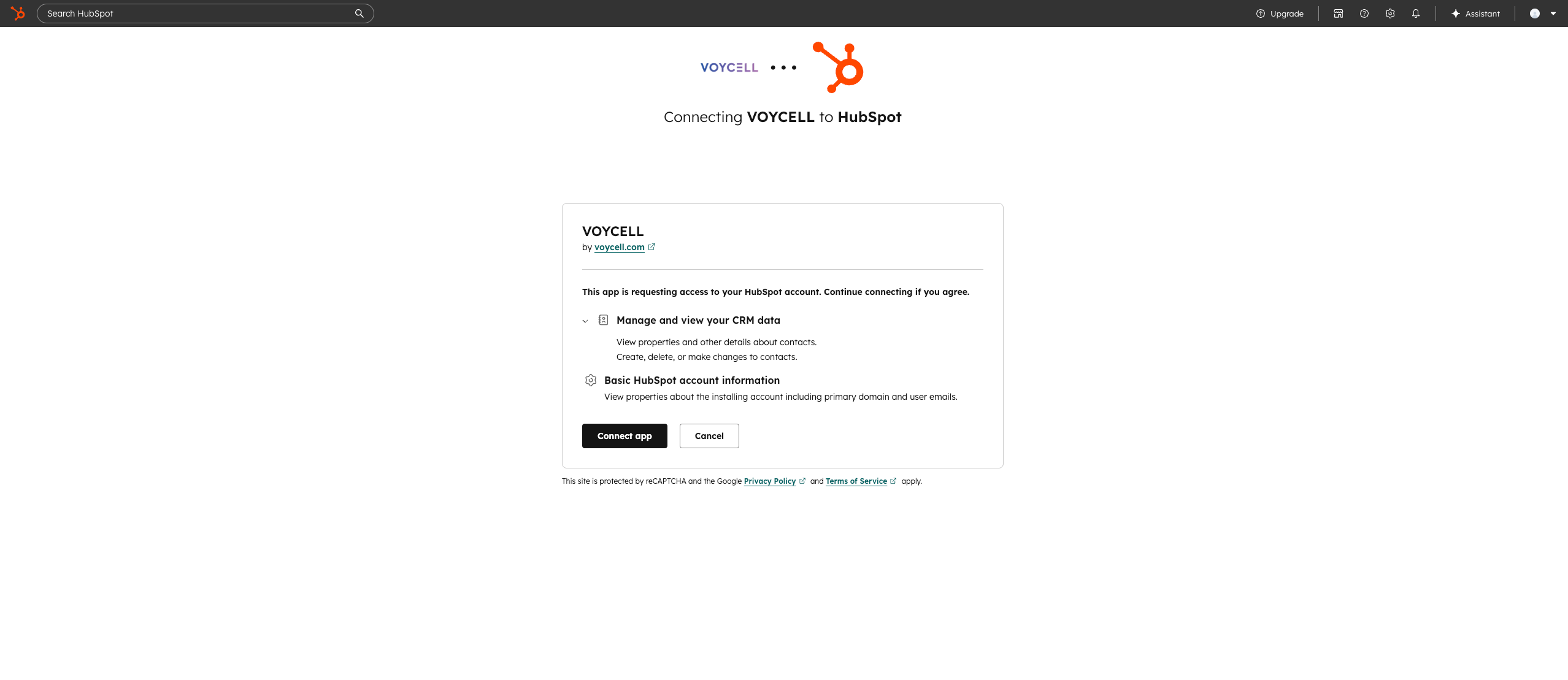
Connect HubSpot from the VOYCELL
3. Configure Data Sync
Once connected, Voycell will automatically sync your data after the call into HubSpot.
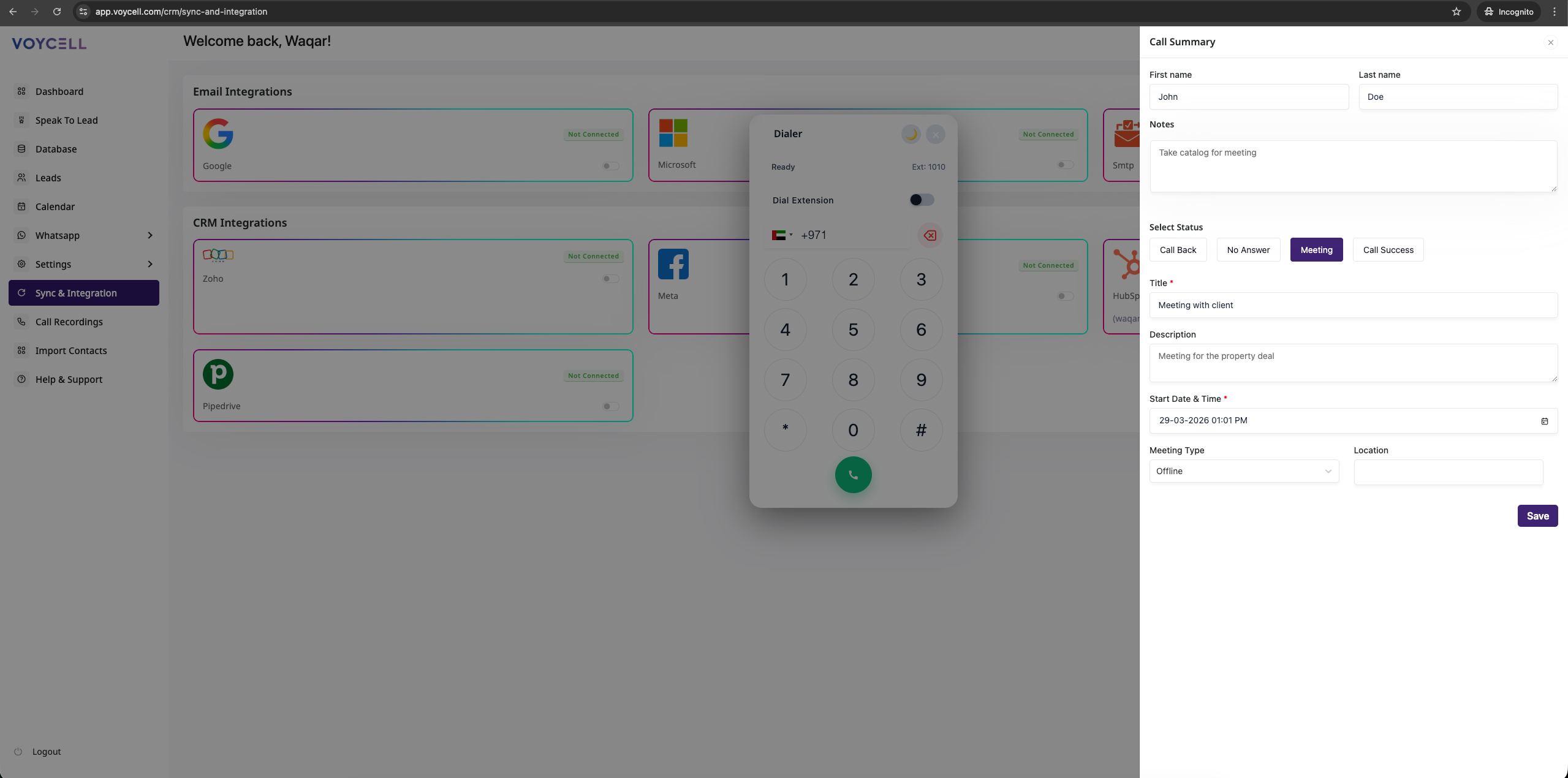
Call summary
4. How the Integration Works
After setup, every interaction handled in VOYCELL is automatically reflected inside HubSpot:
- New calls create or update contacts
- Meetings are logged as activities
- Notes are attached to contact records
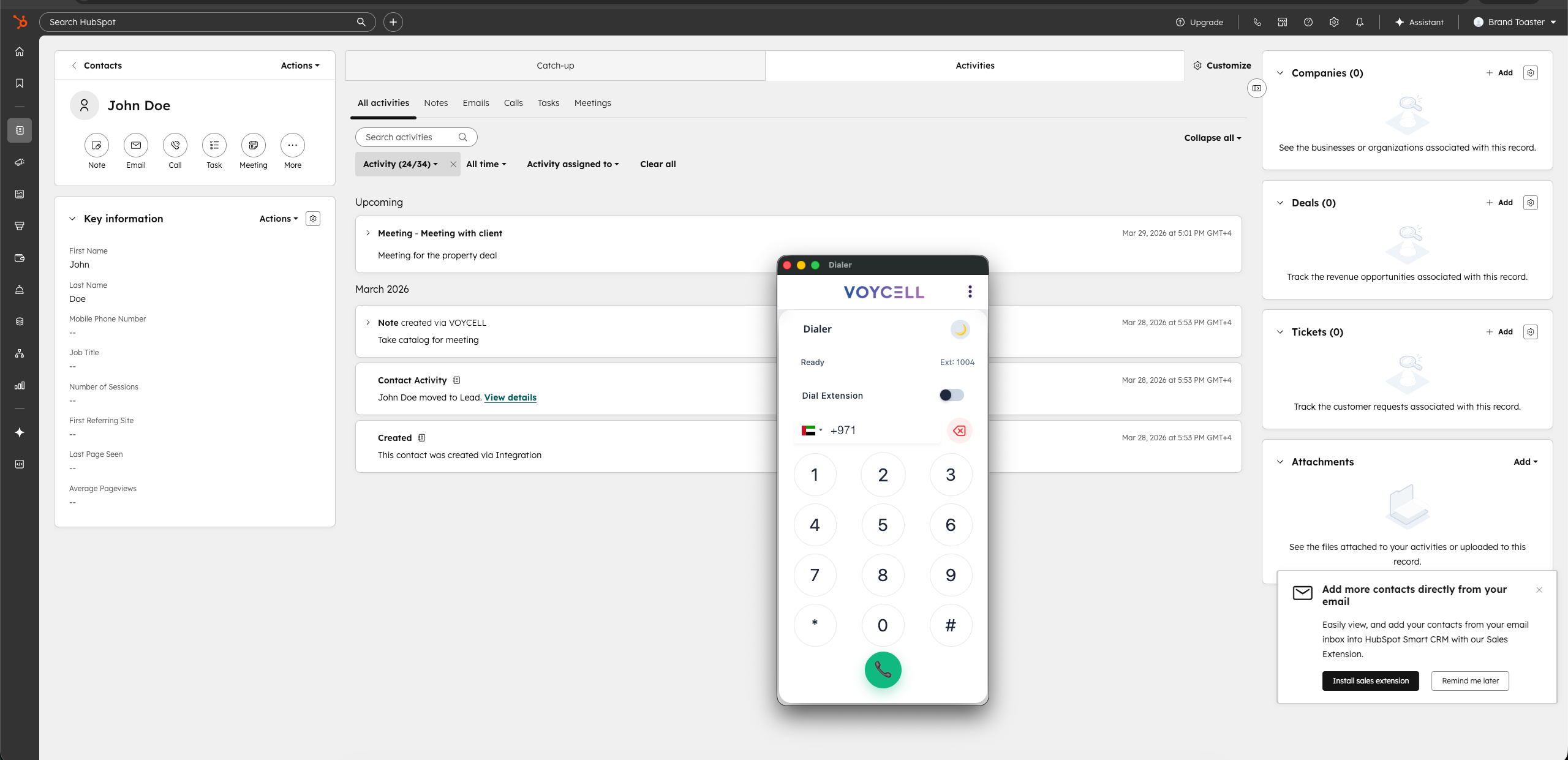
Data Sync to HubSpot
5. Disconnect HubSpot Integration
If you need to stop syncing your data between Voycell and HubSpot, follow these steps to disconnect directly from Voycell.
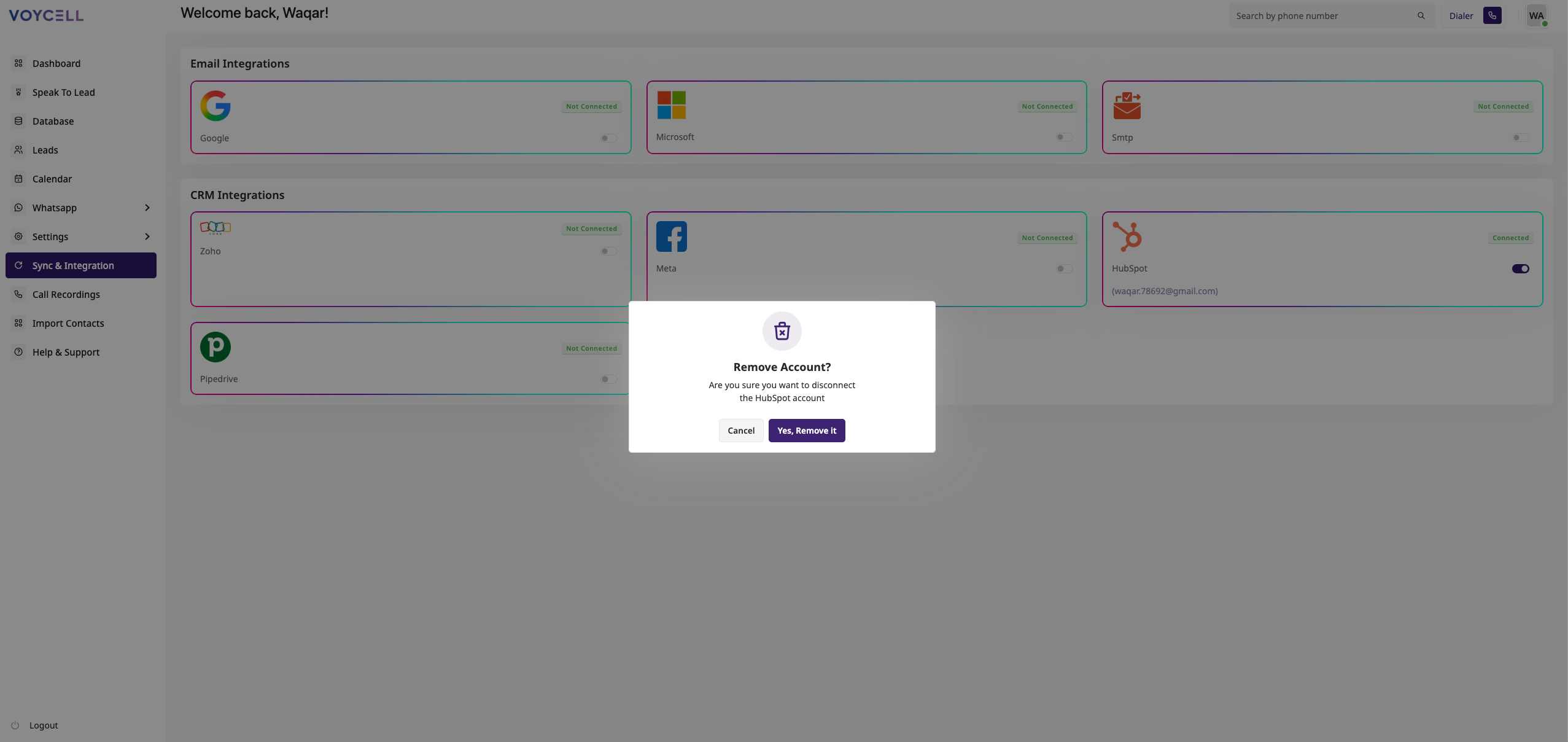
Disconnect HubSpot Integration from VOYCELL
6. User Journey Example
- A customer calls via Voycell
- Voycell captures the caller's name and number
- A meeting, notes are added in the HubSpot CRM
- All data is instantly synced to HubSpot
7. Support
If you need help, contact our support team:
📧 support@voycell.com
🌐 https://voycell.com/voycell-contact-us/