
Your call center is often the first real conversation a customer has with your business. A poor system makes every call harder.
Dubai businesses handle calls in many languages, across many time zones. Your platform must keep up. The wrong provider can cost you customers and agent time.
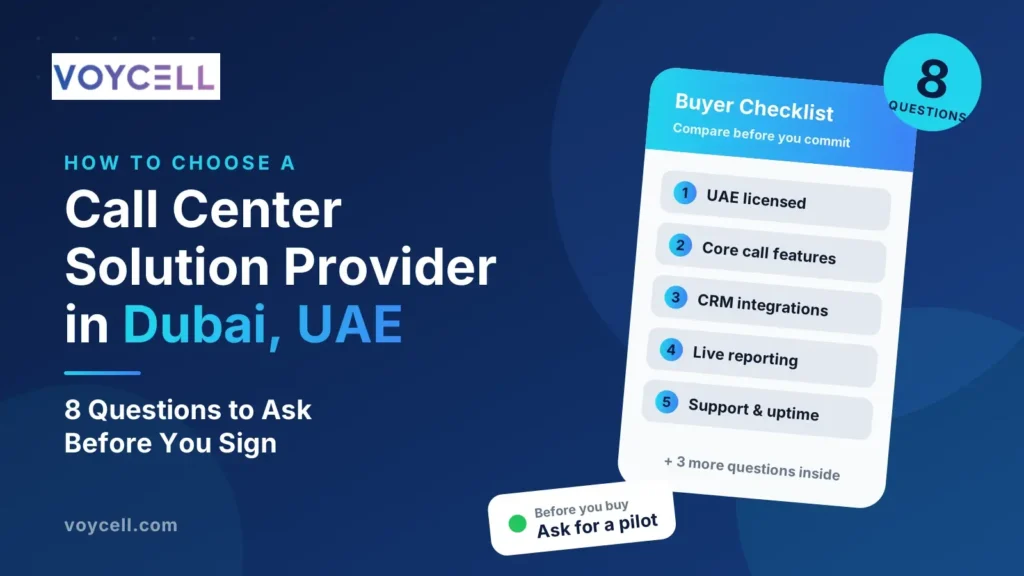
This guide gives you eight questions to ask before you sign. Use them to compare providers fairly.
What Is a Call Center Solution?
A call center solution is the software and phone infrastructure that handles your customer calls. Modern solutions run in the cloud instead of on office hardware.
Core tools usually include call routing, IVR menus, queues and call recording. Many also offer reporting, CRM links and extra channels. Cloud solutions are often called CCaaS, short for contact center as a service.
Why Your Choice of Provider Matters
Your provider affects call quality, agent productivity and customer satisfaction every day. Switching later means retraining agents and rebuilding call flows.
Choosing well saves time and money. It also protects your reputation when call volumes spike.
Question 1: Is the Provider Licensed and Compliant in the UAE?
Start here. The Telecommunications and Digital Government Regulatory Authority (TDRA) regulates telecom services in the UAE.
Ask these follow-up questions:
- How does the provider deliver UAE numbers?
- How does it handle licensing for voice services?
- How does it protect customer data and call recordings?
- Where is data stored?
A clear, confident answer is a good sign. Rules can change, so confirm current requirements before you commit.
Question 2: Which Core Call Center Features Are Included?
Features differ widely between plans. Ask for a full list of what each plan includes.
Check for these essentials:
- IVR (interactive voice response) menus
- Automatic call distribution (ACD) and skills-based routing
- Call queues with wait-time messages
- Call recording and storage
- Supervisor tools such as listen-in and whisper
- Voicemail and callback options
- Outbound dialing tools, if you make sales or follow-up calls
Confirm which features cost extra. Add-ons can raise your monthly bill.
Question 3: Can It Integrate With Our CRM and Business Tools?
A call center works best when it shares data with your other systems. Agents should see customer details as calls arrive.
Ask about these integrations:
- Your CRM, such as a real estate or sales CRM
- Helpdesk and ticketing tools
- Email and calendar systems
- APIs for custom connections
Ask whether the integration is built in or needs extra work. Custom work can add cost and delay.
Question 4: Does It Support the Channels Our Customers Use?
Customers contact businesses in different ways. Some call, while others prefer messaging.
Ask which channels the platform supports. These may include voice, live chat, email and messaging apps. If you need more than voice, check that all channels appear in one agent view.
Not every business needs every channel. Choose a platform that fits how your customers actually reach you.
Question 5: Can the Solution Scale Up and Down?
Call volumes change through the year. Campaigns, seasons and holidays can cause sudden spikes.
Ask these questions:
- How quickly can you add or remove agents?
- Can agents work from the office, home or abroad?
- Are there limits on concurrent calls?
- Can you add a second team or location later?
Cloud platforms usually scale faster than on-premise systems. Confirm how the provider handles it in practice.
Question 6: What Reporting and Analytics Are Available?
You cannot improve what you cannot measure. Good reporting shows how your team performs.
Look for these reports:
- Real-time dashboards for queues and agent status
- Average wait time and handling time
- Missed and abandoned call rates
- Agent performance reports
- Call recordings for quality checks
Ask whether you can export data or build custom reports. Easy access to data helps managers coach agents.
Question 7: How Reliable Is It, and What Support Is Offered?
A call center cannot afford long downtime. Ask for a written uptime commitment, often called an SLA.
Also check support details:
- Is support available during your working hours?
- Can you reach a person by phone or chat?
- How fast does the provider respond to urgent issues?
- Does the provider help with setup and agent training?
- What backup is in place if a network fails?
Good support matters most when something breaks. Test it before you buy.
Question 8: Is the Pricing Clear, With No Hidden Costs?
Pricing is more than the monthly fee. Ask for a complete quote in writing.
Check each of these:
- Cost per agent or per user
- Call charges, including international calls
- Setup or onboarding fees
- Charges for extra features or integrations
- Storage costs for call recordings
- VAT, which is 5% in the UAE
- Contract length and early exit fees
Compare the total cost across providers, not just the headline price.
Quick Comparison Checklist
Use this table when you compare providers side by side.
| Question | What a Good Answer Looks Like |
|---|---|
| Licensing and compliance | Clear explanation of UAE licensing and data protection |
| Core features | Full list with extras clearly priced |
| Integrations | Built-in links to your CRM and key tools |
| Channels | Voice plus the channels your customers use |
| Scalability | Easy to add agents, teams and locations |
| Reporting | Real-time dashboards and exportable reports |
| Reliability and support | Written SLA and local-hours support |
| Pricing | Itemised quote including VAT and call charges |
Red Flags to Watch For
Be careful if you notice these signs:
- The provider avoids questions about licensing
- Pricing is vague or changes at checkout
- There is no written uptime commitment
- Key features are locked behind expensive add-ons
- Support is available only by email
- The contract is long, with heavy exit fees
- The provider pushes you to sign quickly
How to Test a Provider Before You Commit
A short trial tells you more than a sales call. Follow these steps:
- Ask for a demo using your real call scenarios.
- Request a pilot with a small team of agents.
- Test call quality on different networks and devices.
- Build a sample IVR menu and queue.
- Check reports after a few days of live calls.
- Contact support with a simple question and note the response time.
Tips for a Smooth Rollout
- Map your call flows before you start.
- Train agents before go-live, not after.
- Start with one team, then expand.
- Review reports weekly in the first month.
- Collect agent feedback and adjust settings.
Why Choose VOYCELL?
VOYCELL is a UAE-based VoIP provider. We help businesses replace outdated phone lines with a reliable cloud system. Our solutions support local numbers, call routing and IVR. Explore our call center and CCaaS solutions in the UAE or talk to our team for a clear quote.
Also read our guide on how to choose a VoIP provider in the UAE. It covers general phone system questions that also apply to your call center.
Frequently Asked Questions
What is a call center solution?
It is the software and phone system that handles customer calls. Modern solutions run in the cloud and include routing, IVR and reporting.
How do I choose a call center solution provider in Dubai?
Check licensing, features, integrations, scalability, reporting, support and pricing. Compare providers using the same list of questions.
How much does a call center solution cost in the UAE?
Cost depends on the number of agents, features and call usage. Ask for an itemised quote that includes VAT and call charges.
Is a cloud call center better than an on-premise system?
For many businesses, yes. Cloud systems scale faster and need less hardware. Your needs and budget should decide.
Can a call center solution integrate with my CRM?
Many can. Ask whether the integration is built in or needs custom work, and what it costs.
How long does it take to set up a cloud call center?
Simple setups can be ready quickly. Larger teams with custom call flows and integrations need more time for configuration and testing.


